

What you can do in Finance
Your own numbering series and prefix. Draft, pending, sent, paid. Each invoice is raised against the job, in the customer's currency.
Upload a vendor's bill as a PDF and AI reads the vendor, totals and line items into a draft voucher for you to check and approve. AI reads sales invoices the same way.
AI does thisBuy and sell charges on each job, by category. You see the margin on the job before the invoice goes out.
Customer ledgers and invoices, with GST split into CGST, SGST or IGST, are pushed to Tally Prime. Receipts entered in Tally come back and mark invoices as paid.
Bill the customer in their currency, with the tax rate set on each invoice.
Profit and loss per job, invoice ageing and profitability reports, exported to Excel for your accountant.
Invoices from the job, synced with Tally
Each job already has its buy and sell charges, so you see the margin before you raise the invoice. Invoice numbers follow your own series, and each invoice goes from draft to pending, sent and paid.
For costs, upload the transporter's invoice, the terminal handling bill or the CHA's bill as a PDF. AI reads the vendor, totals and line items into a draft voucher. You check it and it goes for approval.
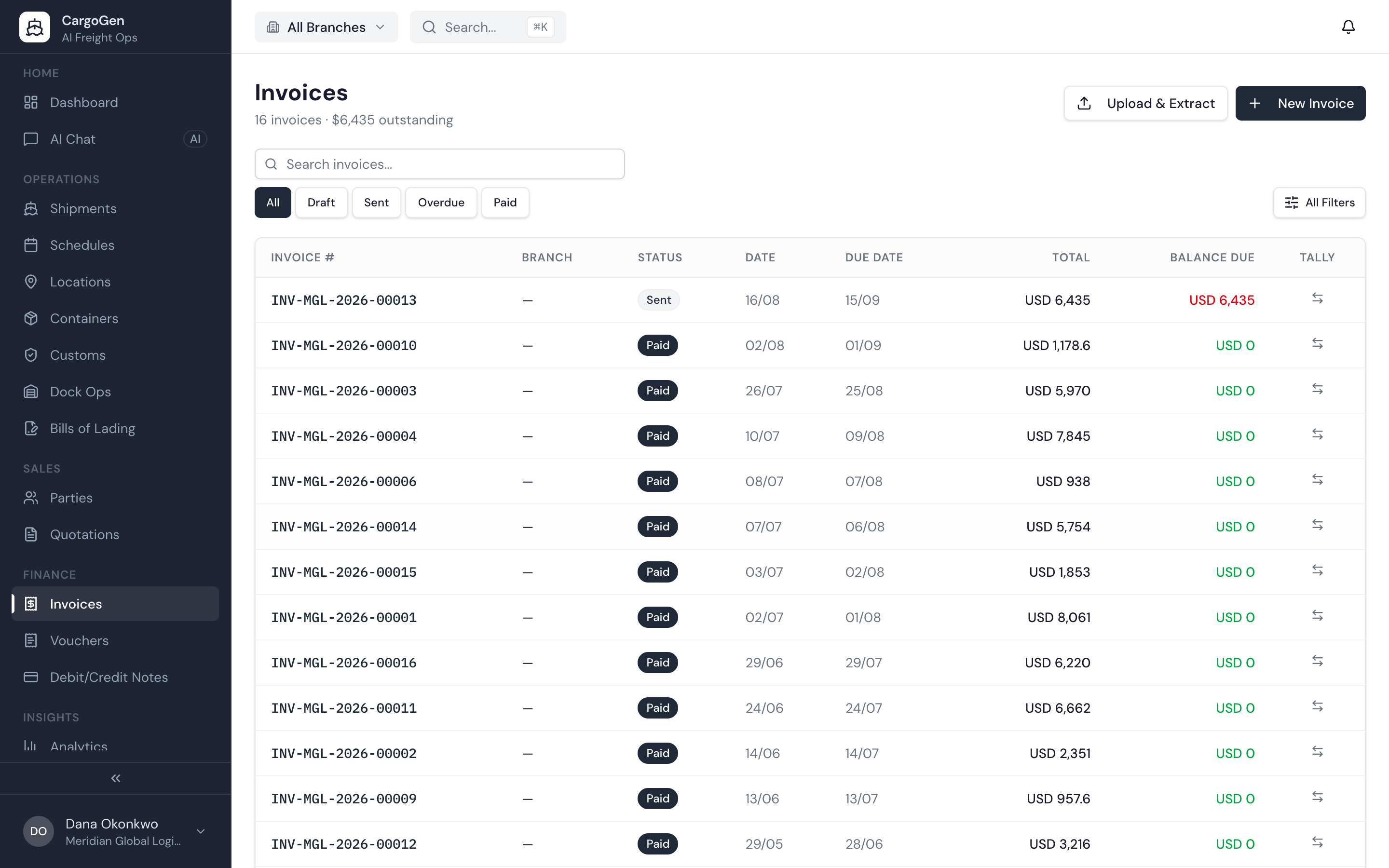
Finance in CargoGen starts on the job. Each job has its sell charges to the customer and buy charges from vendors, and the margin updates as you enter them. You raise the invoice against the job. Numbers follow your own series, and the invoice moves from draft to pending, sent and paid.
Vendor bills usually arrive as PDFs: the transporter's invoice, the terminal handling bill, the CHA's charges. Upload the file and AI reads the vendor, totals and line items into a draft voucher. Someone checks it and it goes through approval.
Debit and credit notes are linked to the invoice and the job. Profit and loss per job, invoice ageing and profitability reports can be exported to Excel.