What you can do in AI Assistant
Commercial invoices, sales invoices, vendor bills and shipping bills, from PDF or scan. AI fills in a draft, matched to your existing records, and you confirm it.
AI does thisForward booking and document emails to your CargoGen address. AI links each email to its job, or fills in a new job from it for you to check, and drafts a reply.
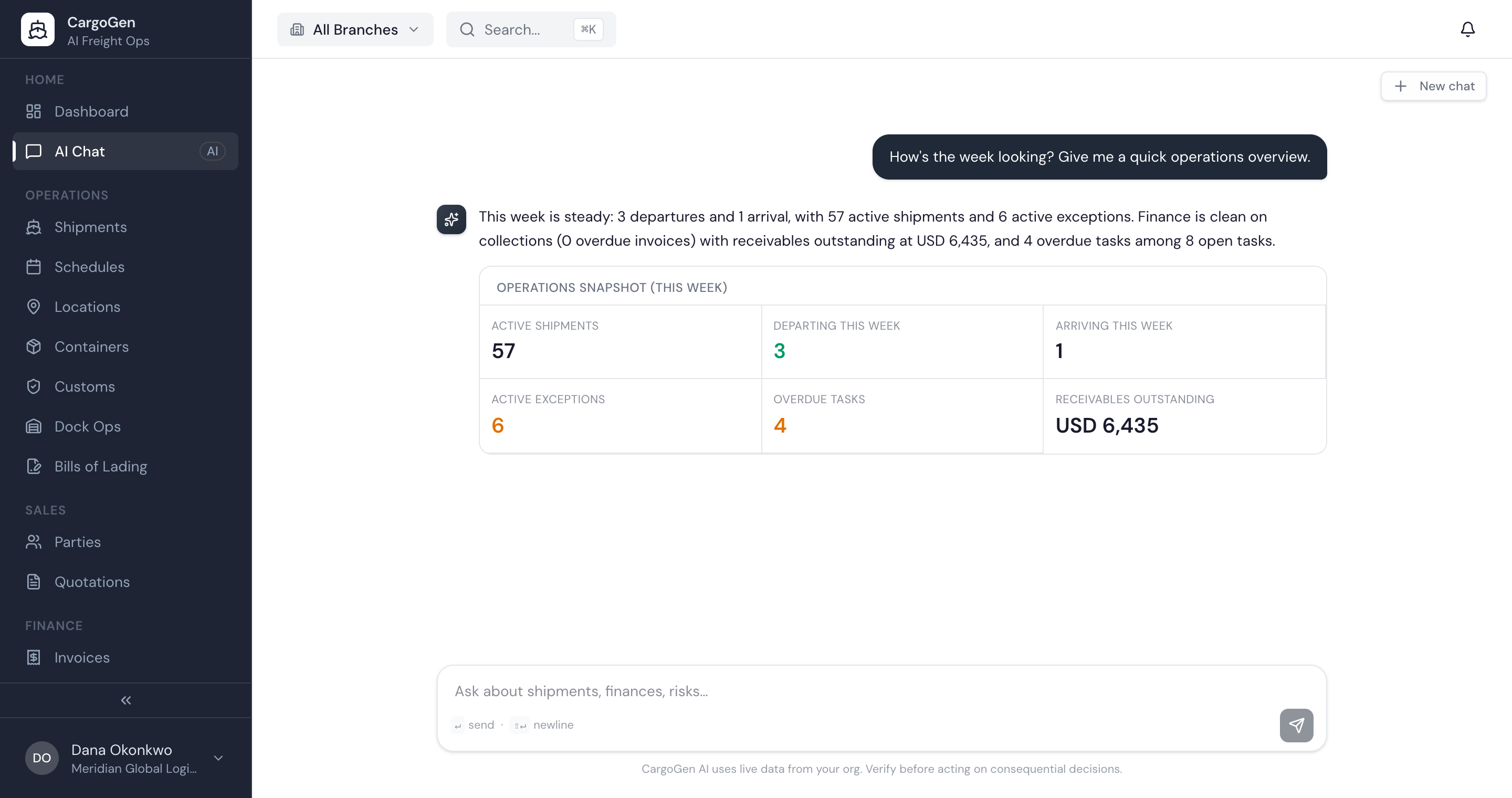
AI does thisAdmins can ask about shipments, invoices and customers in plain language, and get answers, quick reports and charts from your own data.
AI does thisOn a new job, AI suggests the usual charges from the mode, cargo and your past jobs, so the charge sheet is not started from blank.
AI does thisSet up steps that run when a job is created or changes status: create a task for someone, or wait for a person's approval before the next step. Or run them by hand from the job.
Booking confirmations, delay notices and arrival notices written from the job details, for you to edit and send.
AI does thisEach morning the dashboard shows a short AI summary: jobs that need attention, jobs closing today and open issues.
AI does thisAI fills in the details, you check them
Most of the AI in CargoGen is about reading documents. Upload a commercial invoice, a vendor bill or a shipping bill as a PDF or a scan, and AI reads it into a draft: parties, ports, cargo lines, values, terms. Names are matched to the clients, carriers and ports you already have so nothing gets added twice. You check the draft, fix anything that is wrong, and confirm. Only then is it saved.
Admins can also ask questions about the company's jobs, invoices and customers in plain language. The answer comes back as text, a table or a chart.
Each company also gets its own CargoGen email address. Forward booking and document emails to it, and AI reads each one: it links the email to the right job, or fills in a new job from it for your team to check, and it can draft the reply.
Document reading works on scans and photos as well as clean PDFs. AI returns a draft with the fields filled in, and names are matched to your existing records: a consignee you have shipped to before is linked, not created again. The draft waits until someone confirms it. Nothing is saved to the job just because the AI read it.
The assistant answers only from your own company's data. Each question looks only at the jobs, invoices and documents it needs, and no other company's data is ever included.
Workflows follow the rules you set. A workflow starts when a job is created or changes status, or when you run it by hand. CargoGen then works through the steps in order: a step can create a task for a person or wait for someone's approval, and the next step waits until that one is done.
Each morning the dashboard also shows a short AI briefing: jobs that need attention, jobs closing today and open issues.
Settings shows how much AI you've used and how much is left this period. Text from emails and uploaded documents is kept separate from CargoGen's own instructions to the AI, so a document can't change how the AI behaves.