
What you can do in Customs
One entry per filing. Status goes from preparing to filed, under examination, released and cleared. Shipping bill or bill of entry number and date, HS codes, value, valuation method, duty and the broker's reference on each entry.
Upload the shipping bill PDF and AI reads the number, date and other details into the entry for you to check.
AI does thisLink one or more commercial invoices from the job to the entry for valuation and cargo description, without typing them again.
Give the route and the cargo, and AI lists the documents the shipment needs, such as certificate of origin, fumigation certificate or MSDS.
AI does thisYour customs broker files in their own system. CargoGen keeps the references and status so your office and the broker look at the same details.
AI suggests the HS code from the cargo description and checks the parties on the job against sanctions lists, before you file.
AI does thisSee where each shipping bill stands
Each customs filing is one entry on the job. Its status moves from preparing to filed, under examination, released and cleared. The shipping bill or bill of entry number and date, HS codes, customs value, valuation method, duty and the broker's reference are all on the entry, so anyone in the office can answer the shipper without calling the CHA.
The commercial invoice already uploaded on the job is linked to the entry for valuation. AI can also list the documents a route and commodity need, so the team can chase them before cut-off.
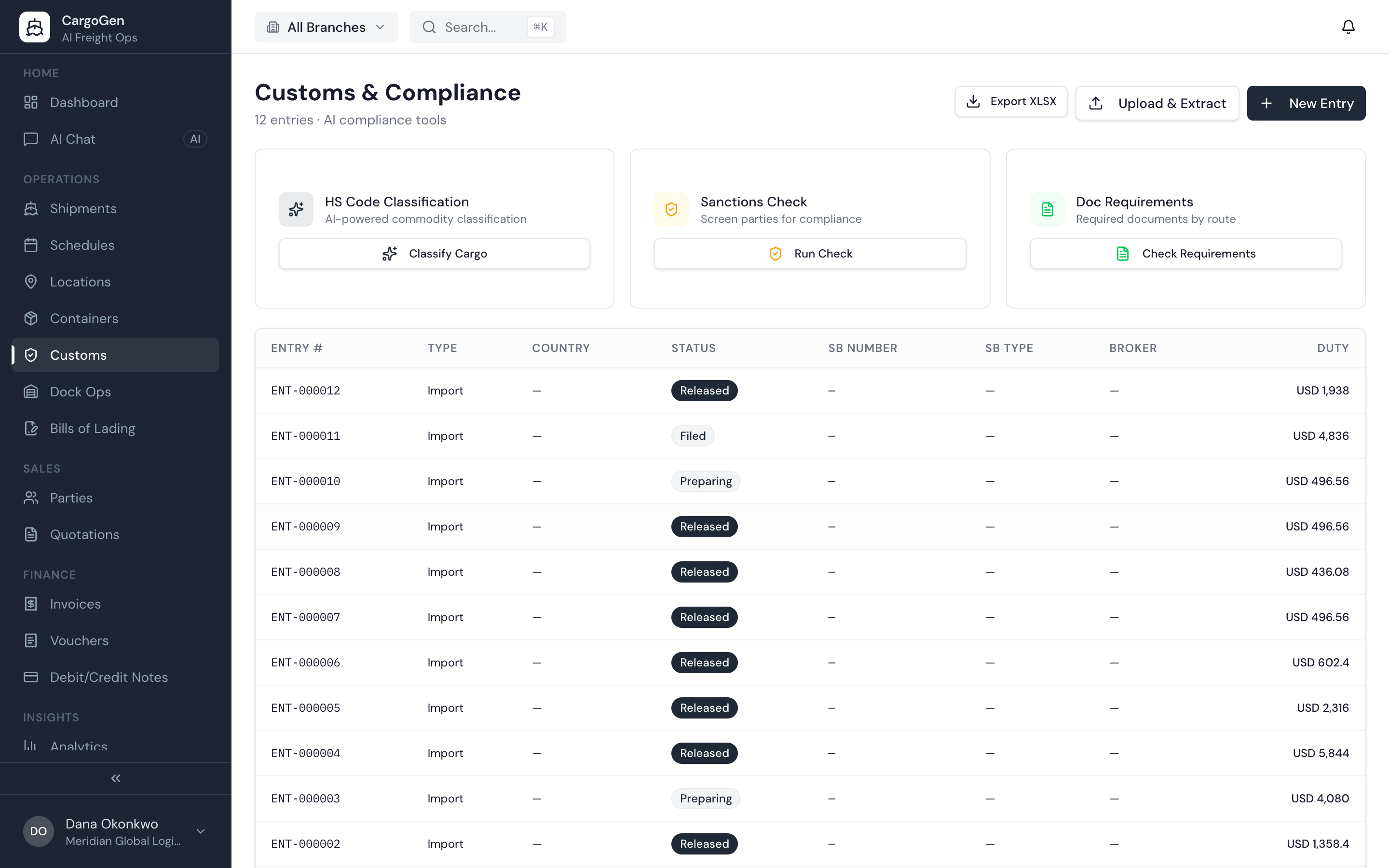
Each customs filing is one entry on its job. The status moves from preparing to filed, under examination, released and cleared.
For Indian shipments the entry holds the shipping bill or bill of entry number and date, and the duty split into BCD, SWS and IGST. You can type these in or upload the shipping bill and let AI read them. The LEO copy can be kept on the job with the other documents.
Before filing, AI can suggest the HS code from the cargo description, and check the shipper, consignee and other parties against sanctions lists.
Each entry can link to the commercial invoices already on the job, which give the broker the values and cargo description. Since those invoices were checked when they were uploaded, nobody has to type them again.
CargoGen does not file declarations with customs. Your broker files in their own system, and CargoGen keeps the references, status and documents so your office, the broker and the shipper are all working from the same details.