
What you can do in Bills of Lading
House and master sea BLs. Status goes from not issued to draft to issued, then telex released or surrendered. House BLs link to their master BL, and the cargo manifest is printed from the master.
Packing list, booking confirmation, carting order, job order, delivery order and arrival notice, printed from the same job data.
One click copies shipper, consignee, notify party, route, container numbers and cargo lines from the job into the draft BL. Run it again when the job changes.
We set up your BL layout, or the carrier's. Edit fields in preview, see where text runs over a box, and your company stamp is added.
Every saved version of a BL is kept as a PDF, so you can see what went out and when.
Description, marks, packages, weight and measurement are kept for each BL, separate from container stuffing, so the BL reads the way the carrier expects.
Your BL layout, filled from the job
When you start, we set up your BL layout, or a carrier's if they want their own. After that, the BL prints with your job data in the right places and your stamp on it.
Click once to copy the shipper, consignee, notify party, route, containers and cargo lines from the job into the draft BL. Before printing, check it in preview, edit any field, and see where text runs over a box. Every saved version is kept.
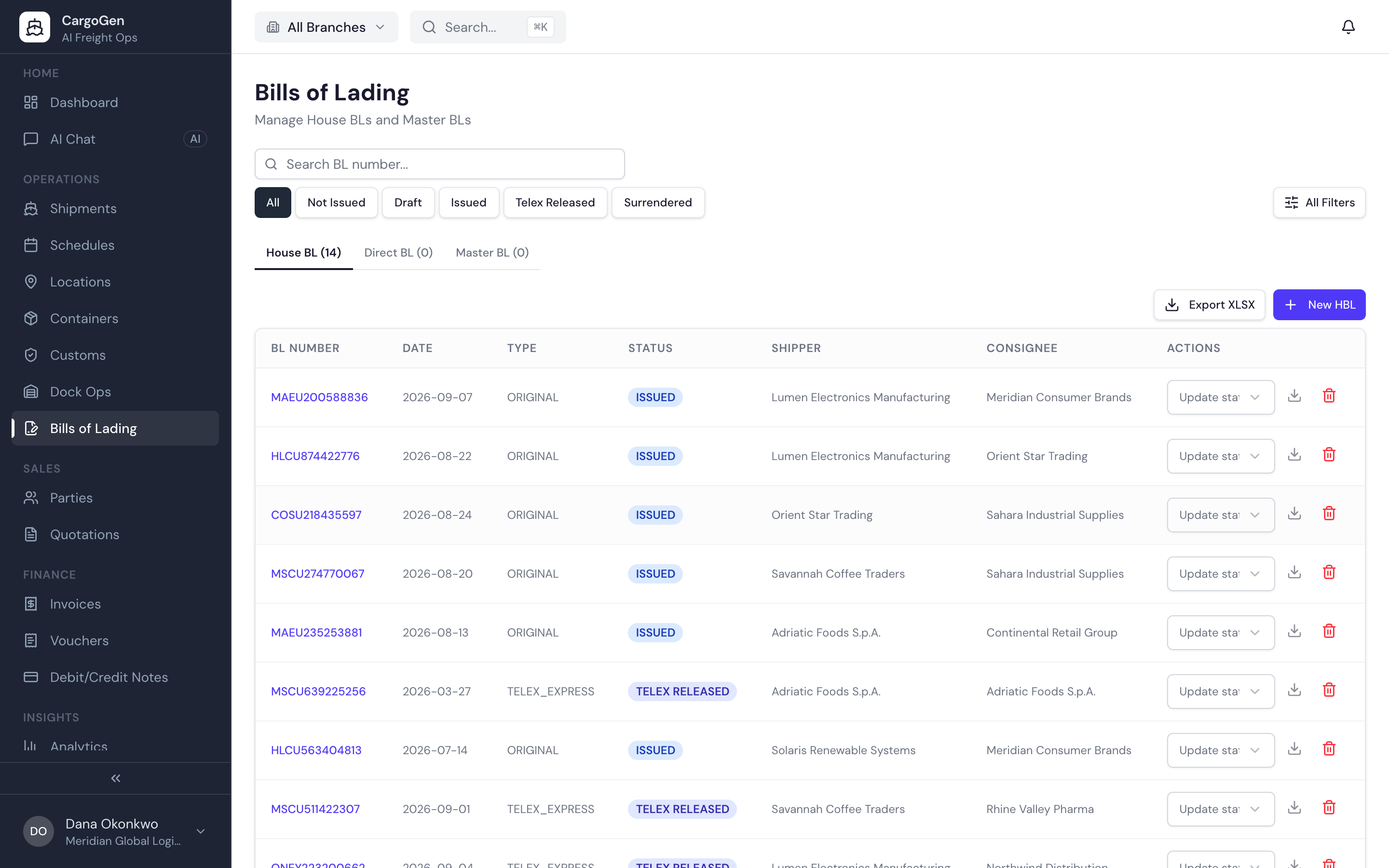
Sea freight uses house and master bills of lading. You issue the house BL to your shipper. The carrier issues the master BL to you, and one master BL can cover several house BLs. A BL starts as not issued, becomes a draft, then is issued, and is finally telex released or surrendered at destination. A BL can also be marked as a switch BL.
Most BL mistakes come from typing the same details again from the job file. In CargoGen the draft BL is filled from the job: shipper, consignee, notify party, route, container numbers and cargo lines. If the job is corrected later, you pull the changes into the BL again.
If a carrier wants their own layout, we set it up for you. From then on, printing a BL on that layout puts your job data in the right places, with your stamp on it.
The same job data also prints the packing list, booking confirmation, carting order, job order, delivery order and arrival notice.
See where the BL data comes from
Bills of lading are filled from the shipment job, so the details only need to be entered once.